Thursday, December 9, 2010

artist Lecture #2

Artist: Polly Applebalm

Overall I felt like the structure of this lecture was done out of order. What I mean by is that
Polly saved all the real or heart of her stuff at the end of the lecture. I felt that she kept drawing
on and on about one particular detail of things. What did find interesting in her pattern instillations were how she is able to achieve large pictures and patterns with such small pieces of paper bunched up together. A lot of her pattern were made from acrylic paint so many of her pieces sometimes seem brighter or duller depending on the light source. Overall her lecture was
okay, I would like to see more of her work in the future.

Artist Lecture #1

Artist Lecture #1: Carminita Higgenbottom

This by far besides the bill lecture was one of my personal favorites. What I found to be the most interesting aspect is the idea of race in 1930s, and how this one artist felt that need
to draw black people. Usually painter of that time period would stay away from the subject. What was even more interesting was the subtle issues that were depicted in the paintings. As an example plymton on painting had a group of black people on the beach. but one woman who was light skin was shying away from the rest of the group. So in turn this made me think of the subtle inner racial identity was a factor back then too. Also this artist manage to imatate the features just right without over exaggerating the figuare a of black person.

As a visiting art historian, I felt that she was very interesting. She was energetic and managed to keep my attention despite it being art history. If she were to ever come back to MCA. I would visit her again.

Thursday, December 2, 2010

Final Update

So my progress so far has been slow, but since I almost done with the coffee shop scene things
will pick up a little faster. I guess what has been slowing me down is the coffee shop scene in particular. I didn't know exactly how I was going to pull it off. Of course it need a little more build up and establishing but I will get that during my revisions. In which case I plan on doing this weekend along with the reminder.
Progress wise after the coffee shop scene the pace of the progress will be immediately faster to do since basically they are just shots. Im almost there.

Tuesday, November 30, 2010

Extra Credit: Dressing Recipe

How to Make Dressing


Step One: Start The Cornbread

1. First Open Box Of Corn Mill Mix and Follow Directions
2. Usually the directions consist of adding Water and Eggs and Mix
3. Place in Oven until brown on all sides


Step Two: Start the Broth

1. While waiting for cornbread to cook time to add the broth
2. The broth consists of: Water, Sage, Poultry Seasoning, Celery,
onion, bell pepper, and chicken stock.
3. Cook until it boils


Step Three: Cornbread Again

1. Once cornbread is ready crumble it into pieces in
pan.


Step Three: The Mixing

1. Add the crumbled Cornbread to Broth
2. Also add Stuffing Mix to Mixture (adds taste)
3. Stir
4, Add seasoning (bases upon how you like it) (seasoning: poultry season, and sage)
5. Pour into pan and place into oven.


Finished Product:

Baked in Oven until Brown.

Dressing!!

Tuesday, November 23, 2010

Final Progress 3


So this is my progress so far. I have a couple of scenes done but I am in the
process of continuing setting up, staging and animating scenes. The issue that I just
now noticed was the color. The color on the computers at school are different from my
laptop so it makes the colors appear more blue in tone. I could probably just adjust that
later.

Thursday, November 18, 2010

Calendar and Assets for Final

Calendar for Finals

Nov 11 Revise Story

Nov 16 Work on Assets

Nov 18 Work on Assets

Nov 22 Have Scene 1 Animated

Nov 25 Scene 2-4 Animated

Nov 30 Scene 5-7 Animated

Dec 3 Tweaking to Animation and Revisions

Dec 6 DVD Build

Dec 9 Final.


Asset List
Object:
  • PDA
  • Alarm Clock
  • Bag
  • Bicycle
  • Cars
Background

  • Coffee shop exterior
  • Coffe Shop Interior
  • Bus Stop Shot
  • Bus Interior
  • Wreck Scene
  • Bedroom/Nightstand
Character:

  • Back View
  • Side View
  • 3/4 View

Wednesday, November 3, 2010

Final Project Pitch

For my final project I wanted to keep up with my earlier theme of routines, since it
works really well with numbers. So with that idea I thought of time as seen in my typography
project. However, I wanted to explore an extreme verison of routine through extreme
planning or possible a person that lives there life by an actual planner.

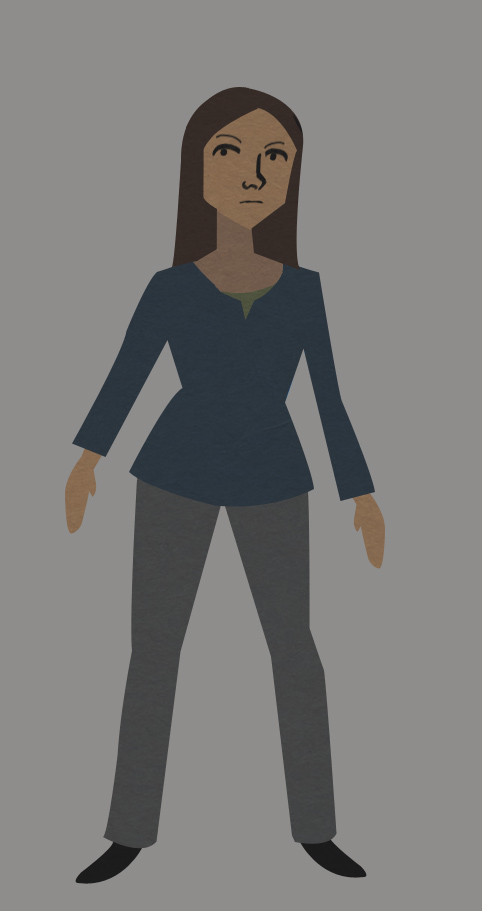
So the character that I am going to use is a person who is obsessed with being on time and
has to plan every detail of her life through a combination of several planners.

Basics of the story:

For my story it starts out with a woman who is obsessed with being on time and following
her planned schedule. The main goal of her day is to get to work on time and everything
will fall into place.

So it starts with her going about her routine but then her plans are interrupted by a series of things that are beyond her control. Through the animation this continues to happens. Because she is so obsessed with being on time she has to resort to desperation in order to get to work
on time. Eventually she arrives at work only to be told that it is cancelled.She was so busy freaking out that she didn't notice. As a result she leaves throws the planners away and secretly gets a new more detailed planner and thus the cycle continues.

Details:

Through out the piece she will be constantly looking at some form of watch or a planner.

As the story goes on it will feel like she is on a time clock so that idea will be constantly
reiterated.

The pace became much faster as she becomes more frantic

The reason for her to throw away the planner at the end is because she feels that it was the reason for her failure not to be on time.


Inspiration Links:


Tuesday, November 2, 2010

Final Project Brainstorm

Over the course of the semester my idea of numbers actually has grown into
a more focused category. Based upon my idea during midterms, I discovered that I like
the idea of routines. So with that in mind, I want to expand that idea for my final project.

Basics:

In my midterm idea I had woman who was obsessed with the number 5 and routines. So for this project I decide to possibly show the opposite perspective of rituals. What I mean is that I wantto do a piece about a person who is "anti-routine" who basic goal is to rebel against any form of a routine.

Scenario: So my basic scenario involves a like a department or regular store worker who observes people and their routines. For example, the worker know all the customers that come
in every morning and order the same thing. So with that idea I was thinking having this worker
purposefully ruin theses people routines just to make a statement about society or possibly
just to experiment.

and make observations

Effects Tutorial Write-up

So far this project was pretty interesting. Just from a couple of tutorial I learned
a lot of what after effects could really do. One of the minor issues for some tutorials that
I looked at involved bad sound and bad quality of images. In some I could see what
the person was clicking or talking about. However besides the minor details, I learned
more key command and shortcuts for things to help me with my work flow in the future.
Overall, I though the tutorials were pretty informative.

Effects Tutorial Info

Rewind Video:

Black Frame: Layer Mask and added Subtraction mode

Video: Added a Adjustment Layer

Motion Tile Filter
Perimeters: Messed with the Tile Height and Tile With (This adds the duplicated look)

Turbulent Displace
Perimeters:
Amount Size (how big of a displacement you want)
Offset (changes where exactly you want it)
amount and evolution ( changes how much of the image you want)

CC Slant Effect
Perimeter:
Slant settings ( used to make a more slanted look)

The Solid White Lines
Fractal Noise
Perimeters:
Brightness
Contrast Size ( to give it the classic tv look)
Evolution+ Expression [ time*5000} ( to make the fractal noise movement more random)

The Secondary White Lines

Fractal Noise
Perimeters:
Width Height Contrast

Direction Blur
Perimeters:
Angle Levels Adjusted the White

3D Lines Lines

Note: Make Sure Layers are on Screen
Fractal Noise
Perimeters:
Height Width Contrast [ high]
Brightness [high]
Evolution [ create the animation for the lines]

Bezier Warp
Perimeters: [ played with the curves or handles to create the curved shaped]

Hue and Saturation:
Perimeters:
Colorize

Glow:
Perimeter: Radius [ increases the area that you want]


Bubbles:

CC Particule World
Perimeter: (all under the controls for filter)

Producer: Radius: X,Y,Z [ to make it wider]
Velocity: [ so it won't shoot out everywhere with animating]
Physics: gravity: [ to make it easier to animate]
Birth Rate: [ when the effect appears]

Hue and Saturation: Colorized

Camera: Orbit tool and then made the other layers 3D


Ball Action Text:

CC Ball Action
Perimeters:
Scatter Rotation Twist ball size

Camera:
Perimeters:
Attacthed to a null and then adjusted to null's orientation. [ gives an easier control over the camera]


Links:


Wednesday, October 27, 2010

Typography Project Updated

Typography Project from Ashley Holmes on Vimeo.

Typography Project Write up

As a whole, I had fun building the assets for this project because the is a lot you can do with
typography. I decided to make a character for this project however it didn't work out for this project.
My original idea for this project was to have a city made of numbers and build it up slowly and have the number characters
numbers walking through the city. Visually, the idea of only have binary code worked pretty well. Although typography
is nice to build it with it does restrict what you can build. Overall the only real concern that I have was perspective of the
buildings, I wan't entirely sure how i wanted it.

Thursday, October 21, 2010

Typography Project


For the typography project I was thinking in term of what exactly can I do
with this project, which then made me think of subject matter.

Practice sketch


My basic idea for this project is time and synchronization. More so along the line
of the biological time clock. When I think of a time clock I instantly thought of using
a city.

In a cityscape, at certain times there are sudden influxes and de-fluxes in activity. So literally
I want to represent how society is dependent on time to function normally.

Structure wise, I want to go about this by having the world being constructed and decontructed
the end when time stops.

Visually, I thought of using just numbers, but I wasn't entirely sure. So instead I might
use the idea of the binary code, which in itself is a very efficient language. So in turn that might fit into my idea.


Visual Links


Midterm: Write Up